Skills
Copy page
Reusable instruction blocks you can attach to sub-agents
Overview
Skills are reusable instruction blocks that you can attach to multiple sub-agents. They govern agent behavior, reasoning, and tool usage, helping you keep shared rules, tone, and formatting consistent across the agent graph while still allowing each sub-agent to focus on its own role.
Create a skill
- Go to Skills in the left sidebar.
- Click Create skill.
- Fill in the required fields and save.
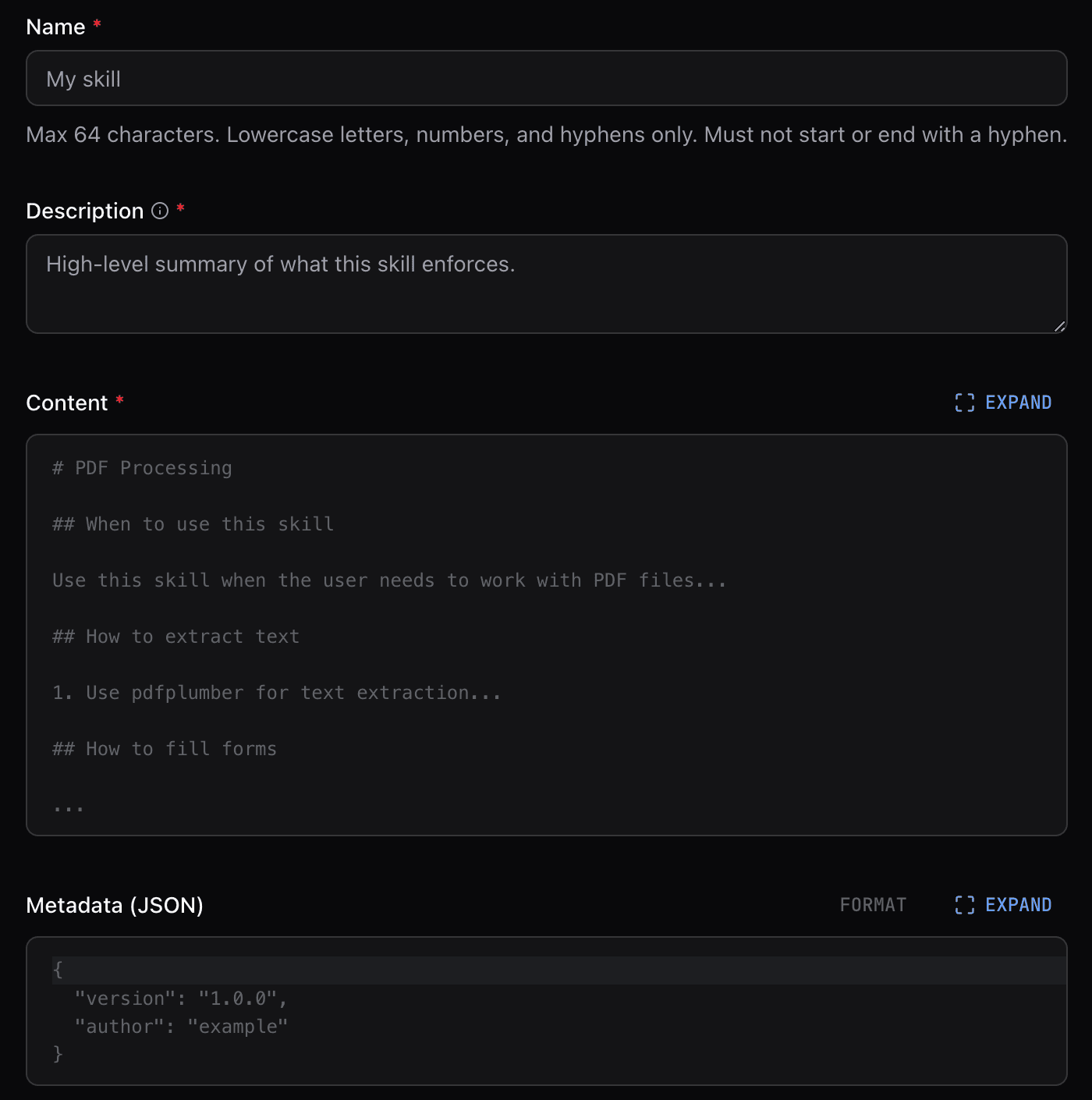
Fields
- Name: A short identifier.
- Description: Explains when to use this skill. Write descriptions that help the agent understand when to load the skill.
- Content: The Markdown body, write whatever helps agents perform the task effectively.
- Metadata (JSON): Additional properties not defined by the Agent Skills spec.
Write descriptions that include "Use when..." or "Use if..." phrases. This helps the agent decide when to load on-demand skills.
Writing effective descriptions
The description field is critical for on-demand skills. The agent uses it to decide whether to load the skill, so be specific about the scenarios where the skill applies.
Good example:
Poor example:
Attach skills to sub-agents
Open an agent in the Visual Builder, select a sub-agent node, and use the Skills picker to attach one or more skills.
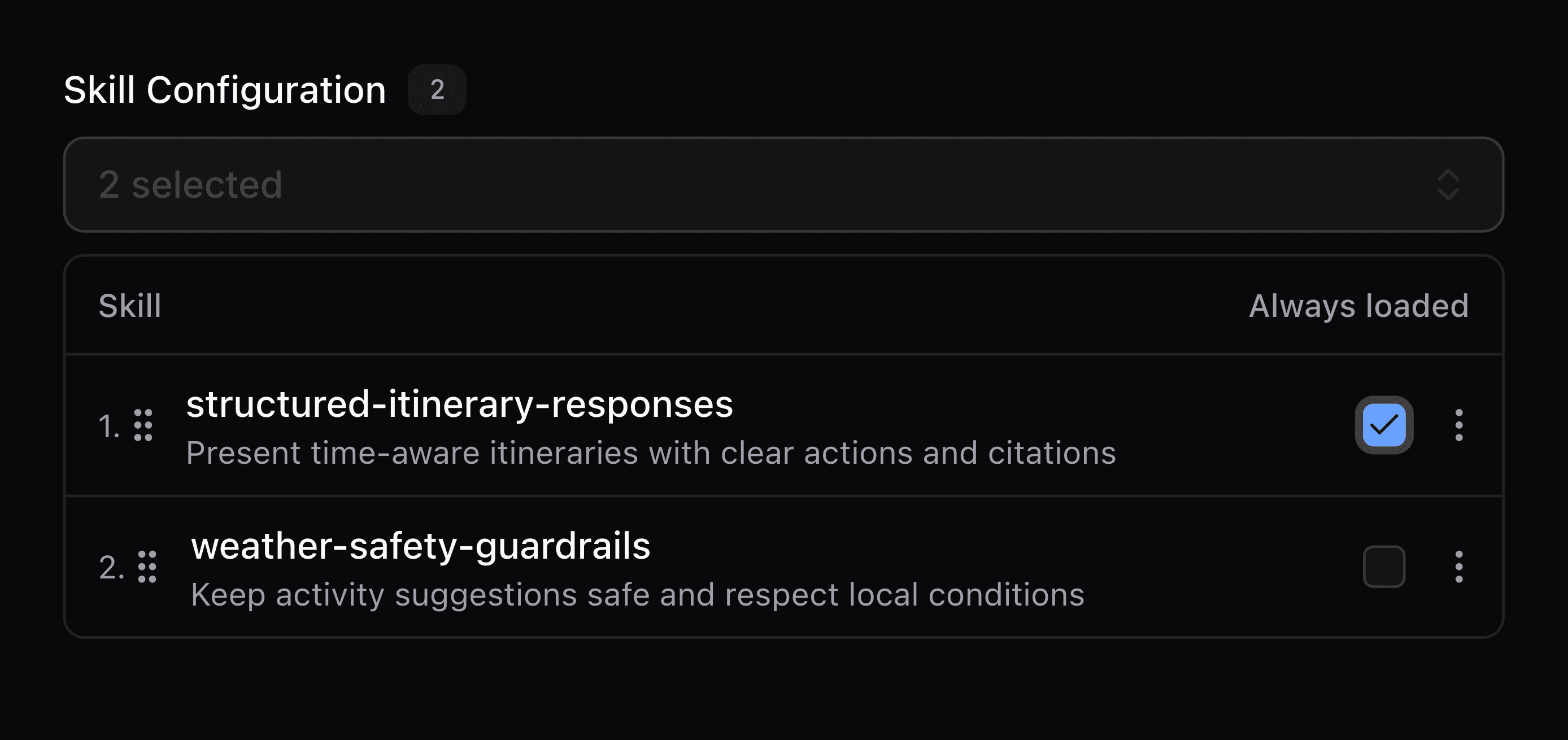
Always loaded and On-demand skills
Use Always loaded to include a skill in every prompt. It's off by default so skills load on demand unless you enable it.
How on-demand skills work
On-demand skills appear as an outline in the system prompt. When the agent determines a skill is relevant based on its description, it calls the built-in load_skill tool to retrieve the full content. This keeps prompts compact while still giving agents access to specialized instructions when needed.